A resident photographs a pothole. The report reaches the right department, the crew sees it on their phone, and the resident is told when something changes. And the city's leadership sees the whole picture: what residents are asking for, where, and how quickly the municipality answers.
Every report follows the same path, and at each stop somebody knows what they are meant to do.
1
Filed
From the website, a mobile app, the call centre, a neighbourhood warden out on the street, or a third party's software. Where it came from is recorded and measured.
2
Routed
The category and the point on the map decide the department. A resident never has to know which office does what.
3
Done
The crew sees the day's work on a phone, takes the job so nobody duplicates it, and records what happened on site with a photograph.
4
Answered
The resident is told at every change of status, with a reason written by a person rather than generated by the system.
5
Confirmed
The resident says whether it was actually fixed. The confirmation comes from the person standing where the problem was - the strongest evidence there is that the work landed.
Improve My City so far
Improve My City has been running in municipalities for close to fifteen years, and it has not stopped changing: most of what is in here started as something a department asked for.
400,000+
reports filed by residents
50,000+
active users
1,500,000+
recorded actions
100+
departments in service
300+
administrators and operators
Every team on its own screen
A portal for residents, an app on their phone, a back office for the department, an app for the crews and a desk for the call centre: five screens on the same data, not five products that have to be kept in step.
For residents
Citizen portal
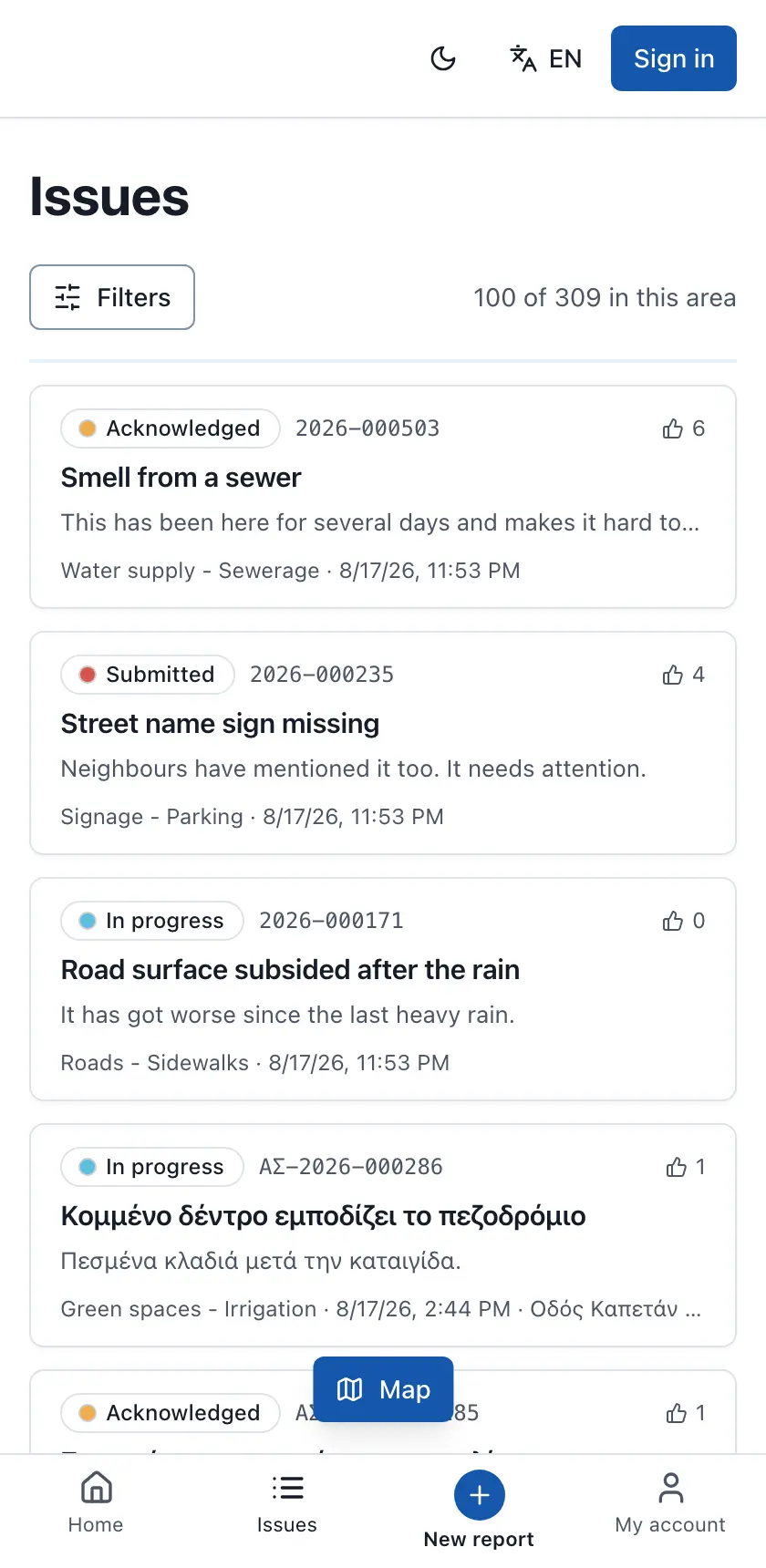
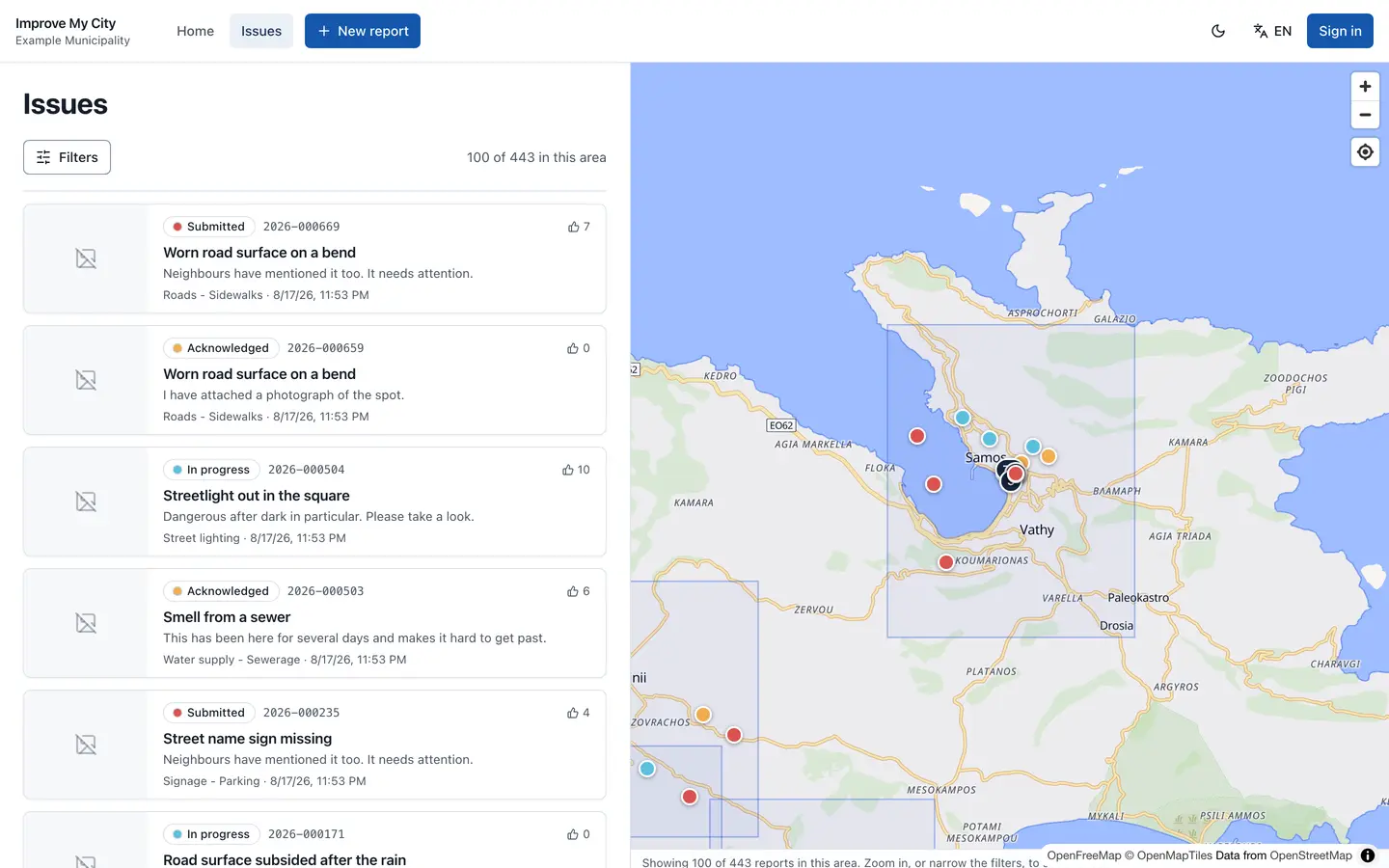
A map of what has already been reported, filing in three steps, and the progress of each report under its own reference number.
File with a photograph and a point on the map
Duplicate detection before the report is submitted
Support a neighbour's report instead of filing a fifth identical one
Residents choose which events they are emailed about
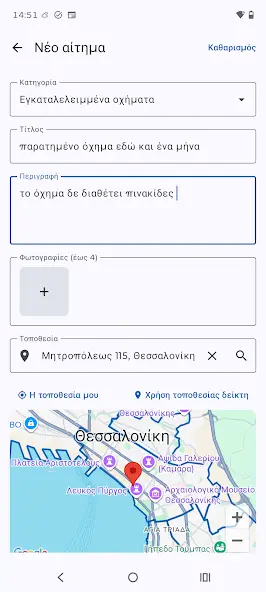
For residents' phonesA separate module per platform
iOS and Android apps
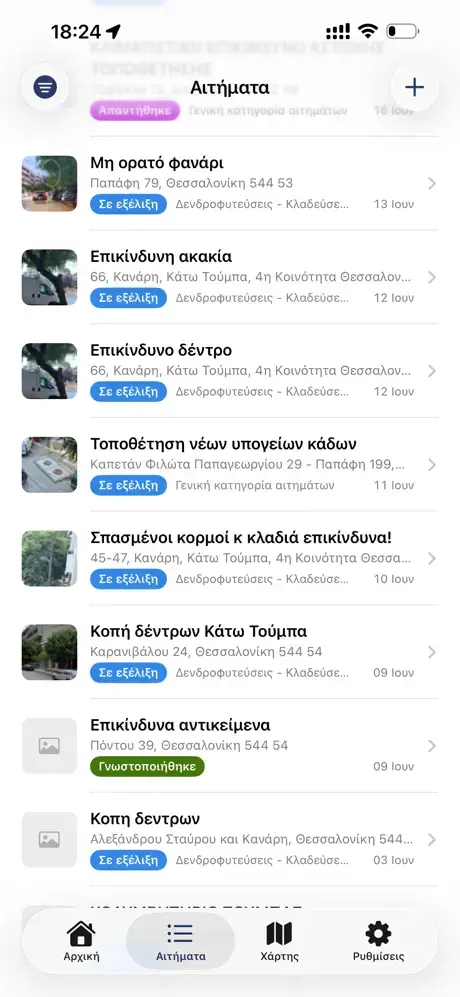
Native applications, not a website in a wrapper: Swift on iOS and Kotlin on Android. They use the device's camera and GPS and deliver push notifications.
A listing of its own for each municipality, under its name and crest
A photograph from the camera, with the point from GPS
A map and a list, filtered by category, status and period
Push notification on every change to the report
My reports, each with its own progress
iOS and Android are counted separately in the statistics
iPhone
Android
For the department
Back office
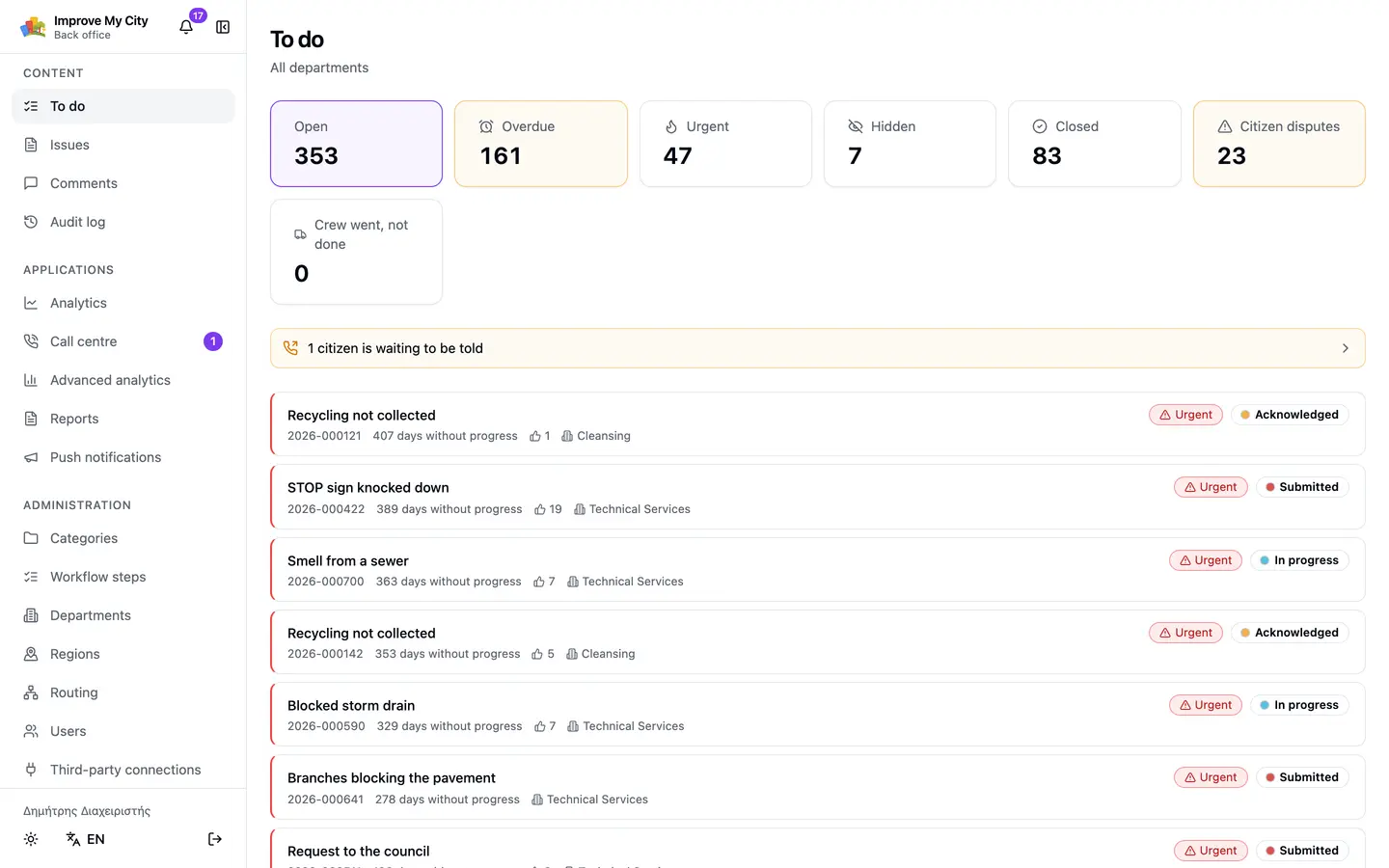
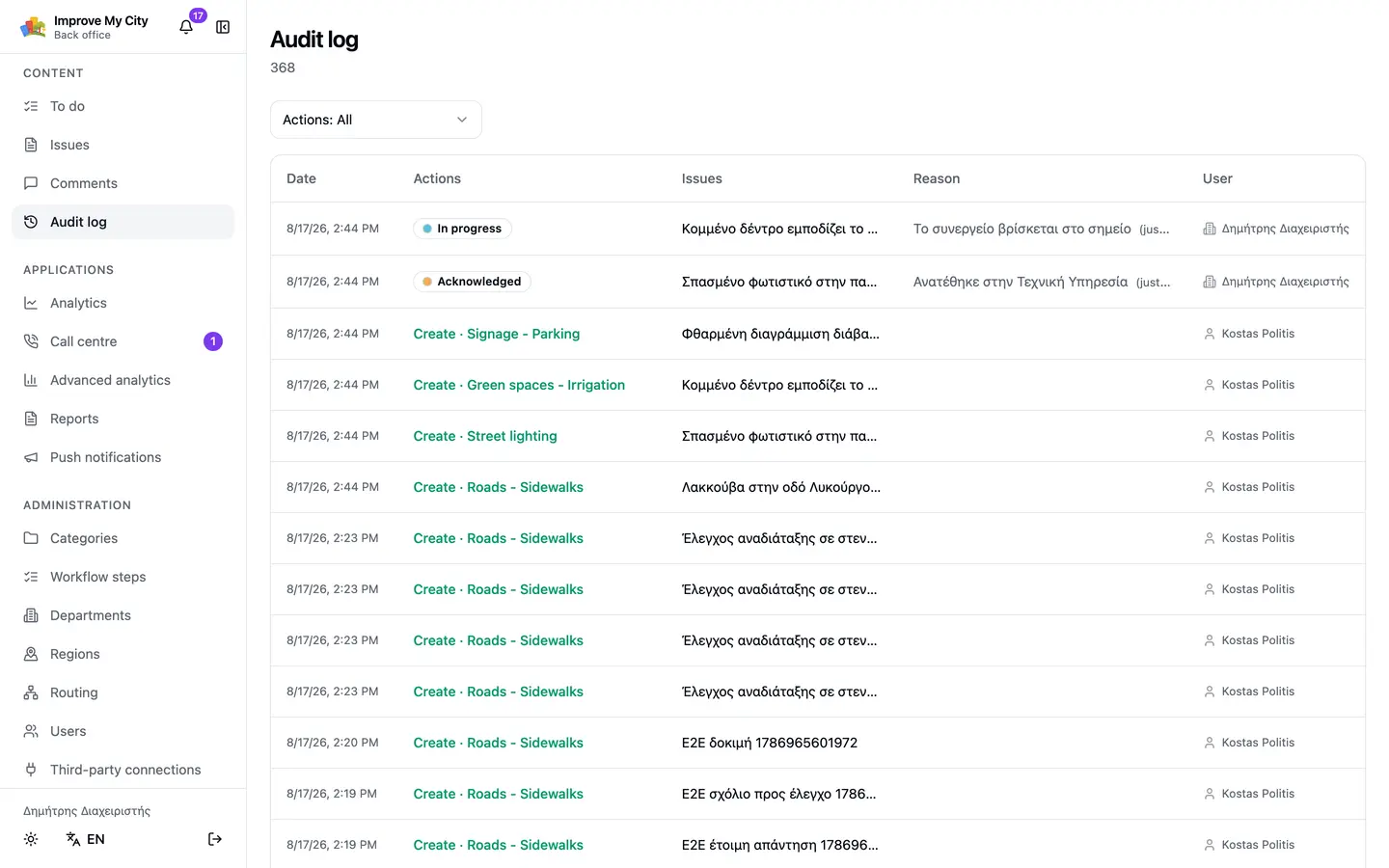
The day's queue, the workflow, the categories and the routing. It replaces the old administration screen rather than sitting beside it.
A «to do» screen holding everything that is waiting on a reply
A written reason is required for every change of status
Bulk actions under exactly the same rules as a single one
Full history: who, when, and why
For field teamsA separate module
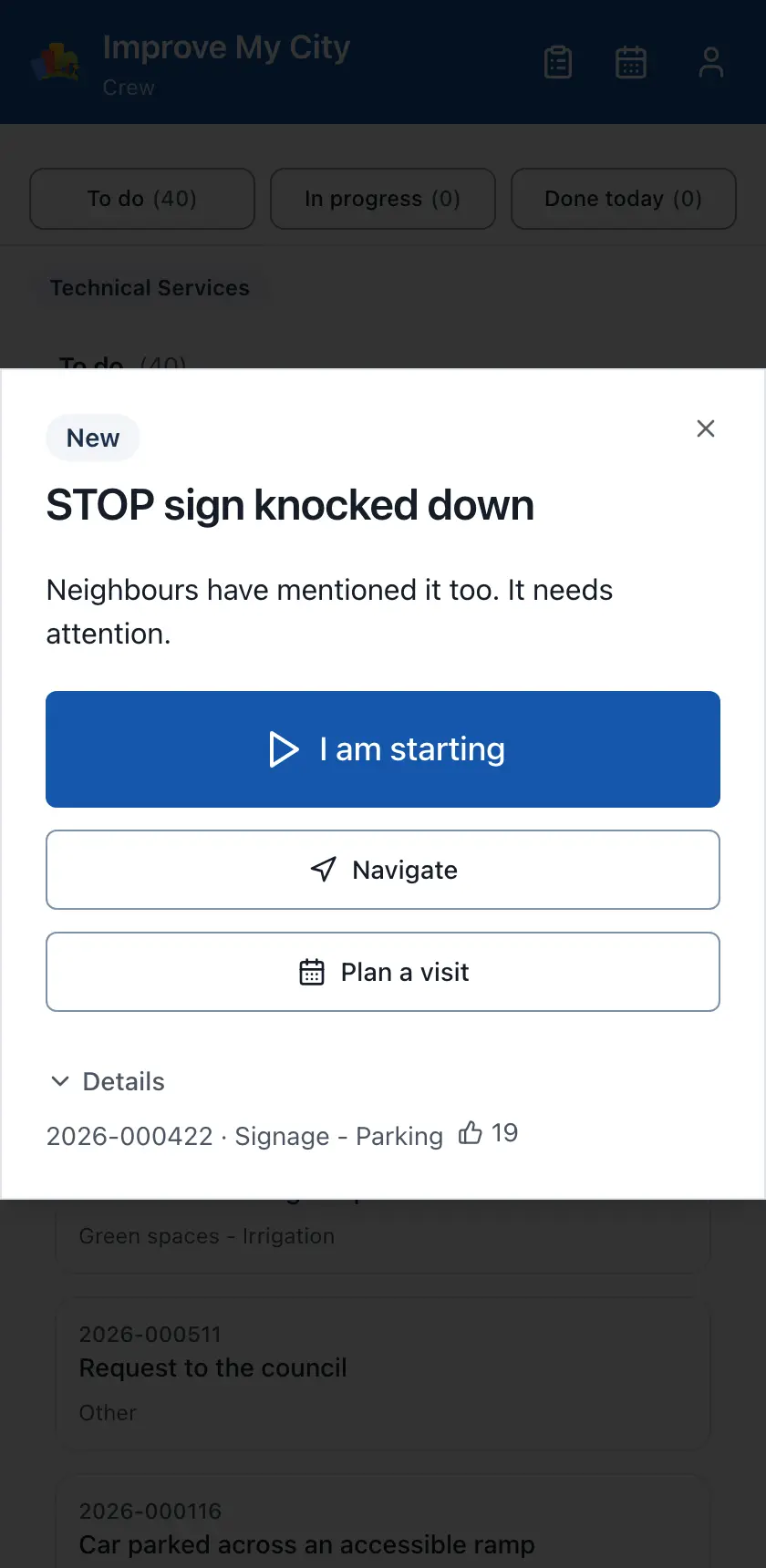
Crew application
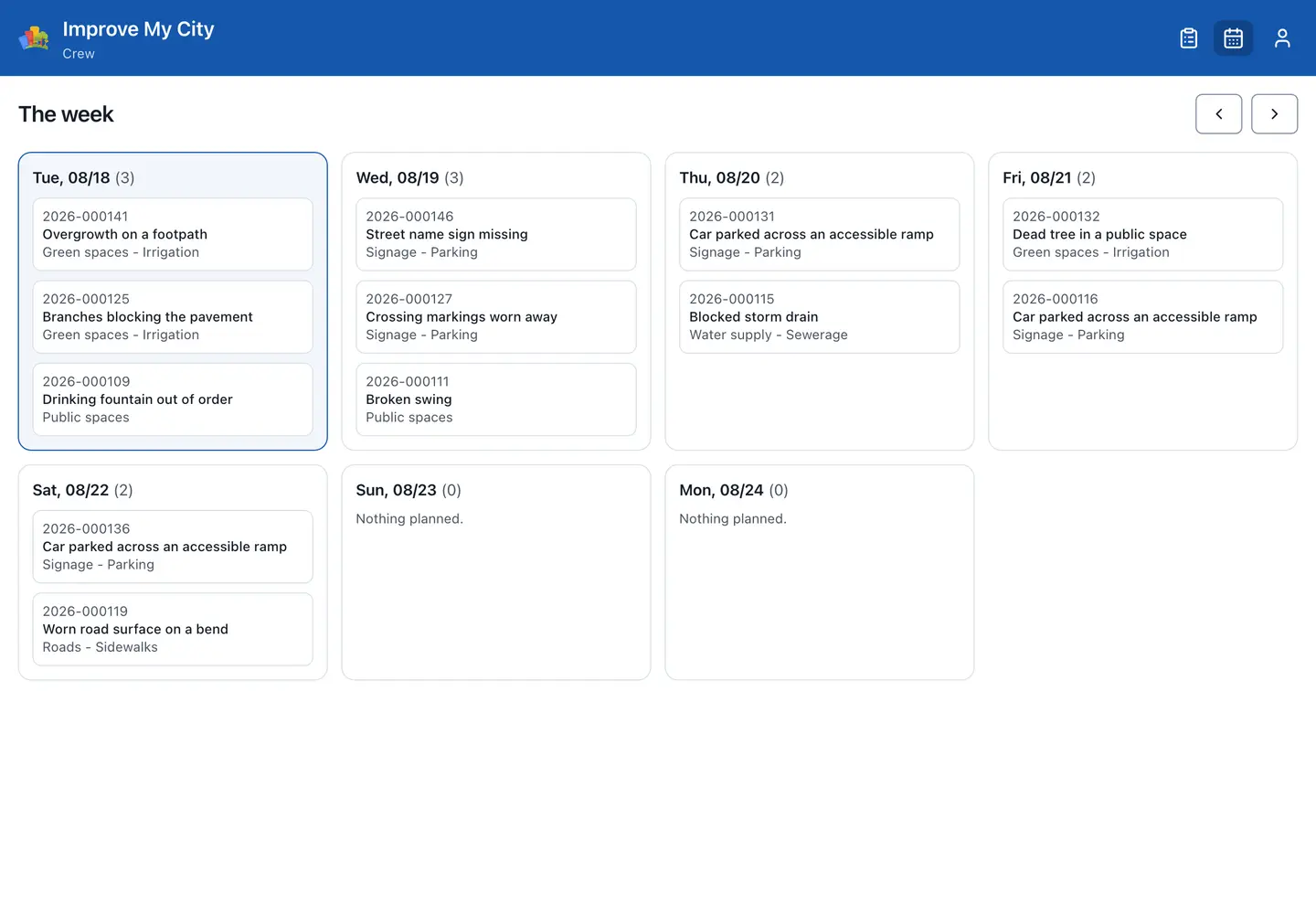
The day's work on a phone, built to be used outdoors and on the move: large targets, few steps, and what the crew needs on one screen. It works with no signal, because the work happens in basements, on dirt roads and in villages with no coverage: the day's list is already on the device, and everything the crew records, photographs included, is queued and sent the moment there is a connection.
A job board and the week's schedule
«I'll take it», so two crews never drive to the same place
Before and after photographs, taken where the work happened
A record when the job could not be done, and why
Works with no signal, with anything still unsent shown at the top of every screen
It keeps the time of the work, not the time a signal turned up
Phone
Tablet
For operatorsA separate module
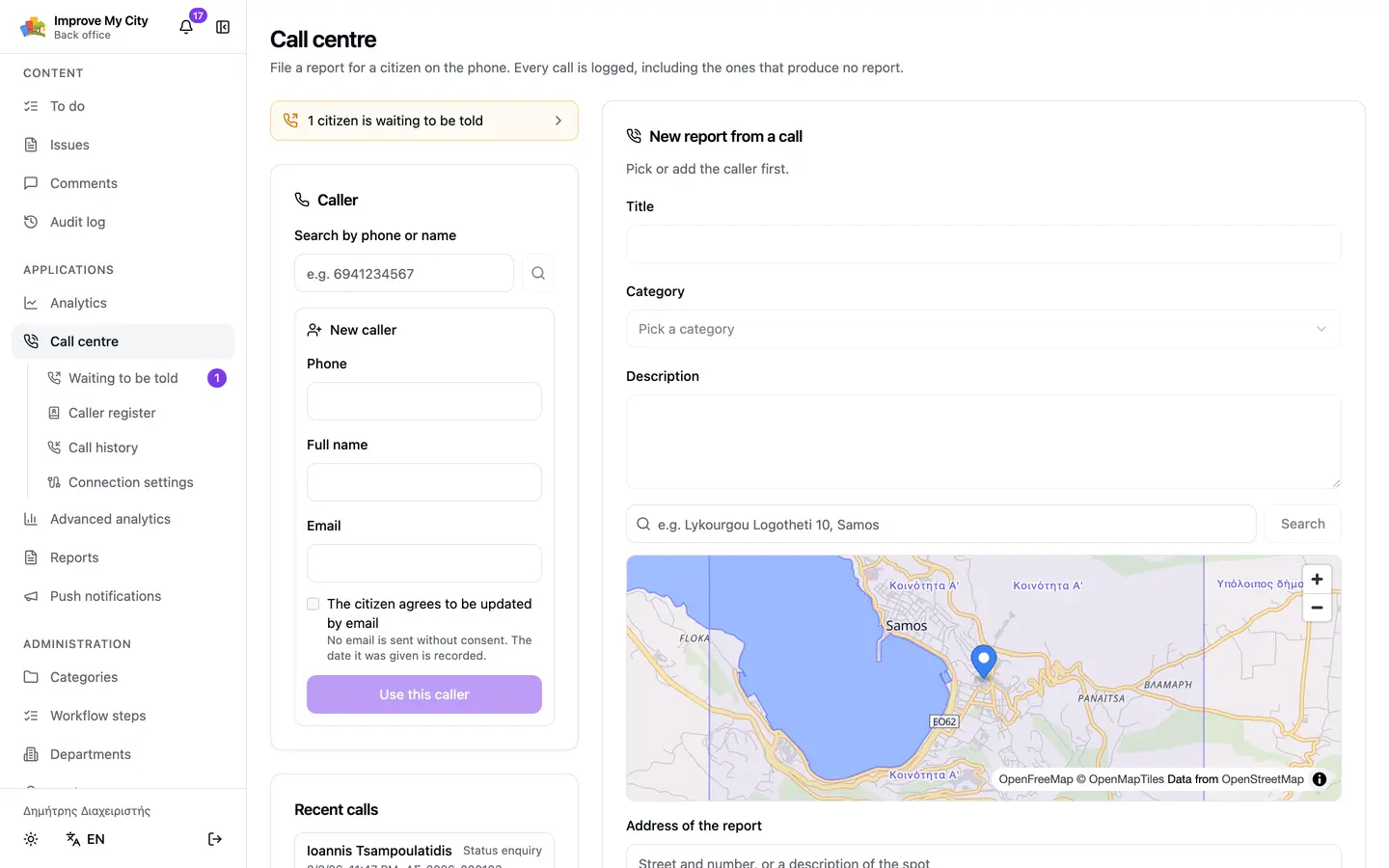
Call centre
The resident who will never open a website telephones instead. Their report enters the same system with the same standing.
Filed during the call
History by caller, not only by report
A queue of people waiting to be rung back
Connects to the municipality's telephone system (the PBX), so the caller's record is open before the handset is picked up (a separate add-on)
Pay for what you use
The core is always there. Everything else is licensed separately, when you need it, with no new installation and no data migration.
Core
Available
Reports, map, categories, workflow, departments, routing, comments, email notifications, audit history and data export. Everything a municipality needs to operate from day one.
Analytics
Available
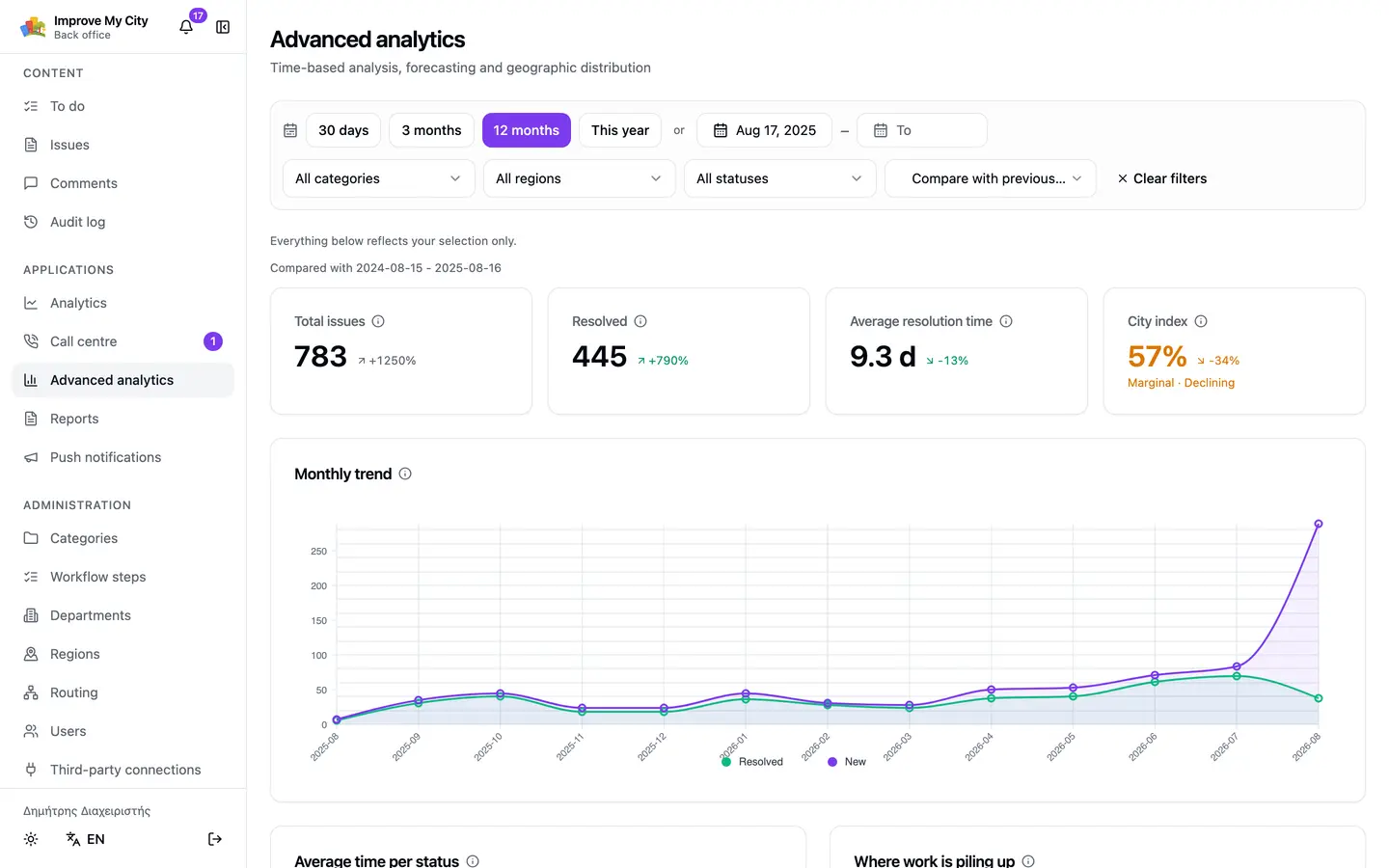
Dashboards over your own data: resolution times by category and district, load per department, trends, and period-over-period comparison.
Call centre
Available
Filing during a call, a record per caller, and callback queues. It can be served on its own subdomain for an outsourced team.
Telephony integration
Available
Caller identification, with the record open before the operator picks up the handset. This connects to the municipality's own telephone system, so it involves equipment (the PBX) and not only software - what is needed is settled per installation.
Field crews
Available
The crew's own application: job board, claiming work, photographs from the site, and a planned week of visits.
Reporting
Available
Printable and electronic reports for the council, carrying the period's figures and the municipality's own logo.
Third-party connections
Available
Other software files reports under its own key and its own identity, so where they came from stays visible.
Push notifications
Available
Notification on the resident's phone, beside the email, on every change to their report. Past that, the municipality sends messages of its own to everyone who has the app, whenever it decides to: city events, scheduled works, roads closing, emergencies. Every send stays in the history with its text, its time and the user who sent it. Targeted sending by neighbourhood, by area or to residents who declared particular interests is coming soon. Requires the iOS application or the Android one, or both. A push notification reaches the phone through the municipality's own app.
iOS application
Available
A native Swift application on the App Store. Filing with a photograph and a pin from GPS, a map and a list with search and filters by category, status and period, the resident's own reports, a push notification on every change. A listing of your own, under the municipality's name and crest, rather than a shared application in which a resident picks their municipality from a list. They find it by searching for the name of the town. Priced per platform, because it takes a developer account of its own, an App Store review of its own and maintenance of its own every time iOS moves.
Android application
Available
A native Kotlin application on Google Play, with the same capabilities. Filing with a photograph and a pin from GPS, a map and a list with search and filters by category, status and period, the resident's own reports, a push notification on every change. A listing of your own, under the municipality's name and crest, rather than one shared application with many municipalities inside it. The resident finds it by searching for the name of the town. Priced per platform, because it takes a developer account of its own, a Google Play review of its own and maintenance of its own every time Android moves.
Register integration
Available
Some reports are not messages but cases: damage to a vehicle, a claim for compensation, a formal complaint. Most reports need none of it, a pothole is never registered. A member of staff decides which of them has to be entered in the municipality's official register, and the registration number then sits on the report beside its reference number. One follows the work, the other gives the request its official standing, and the resident sees both. IMC does not replace the register: it carries the number the register issued, so the same case does not live twice in two systems with nobody aware of it. This is the Greek πρωτόκολλο, the Spanish registro de entrada and the Portuguese número de registo.
AI assistance
In development
AI takes on the three things an operator's time actually goes into. It drafts the reason that has to accompany every change of status, leaving the operator to correct rather than compose. It catches duplicates by meaning rather than by distance alone, because «abandoned vehicle» and «car left for a month» are the same report. It flags photographs that probably show a number plate or a face, so they can be painted out before publication. In all three it suggests to an operator and never decides on its own.
Voice agent
In development
Answers the telephone when nobody else can, takes the report, and hands it to the queue. Requires the «Call centre», «Telephony integration» and «AI assistance» modules. This is the next big step: a natural voice rather than the machine reading you know from other telephone menus. The assistant understands what you say the way a person would, using AI, and it will be able to tell you where your own reports stand.
Bulky waste appointments
Scheduled
«When are you coming for the sofa?» is one of the most common reasons a municipality's telephone rings, and today the answer is usually «sometime this week». The resident says what they are leaving out and picks a day from the ones open for their neighbourhood. Cleansing sets how much it can take on each day, so no more appointments are given than can be met. The resident knows when the vehicle is coming, without ringing anybody.
And whatever is not here yet
Almost every module on this list began as something a municipality asked for. If the one you need is missing, we are open to discussing it.
How licensing works
Modules are not separate installations or separate codebases. They are one system that knows what you have bought.
Opens in minutes
Switching a module on needs no new installation and no data migration. The municipality sees the new screen at the next sign-in.
Trials that expire on their own
A module can be opened for a fixed period, without anybody having to remember to close it afterwards.
Nothing is lost when it lapses
On expiry a module becomes read-only, then hidden. The data stays. If it is renewed, everything is where it was.
The municipality can see what it holds
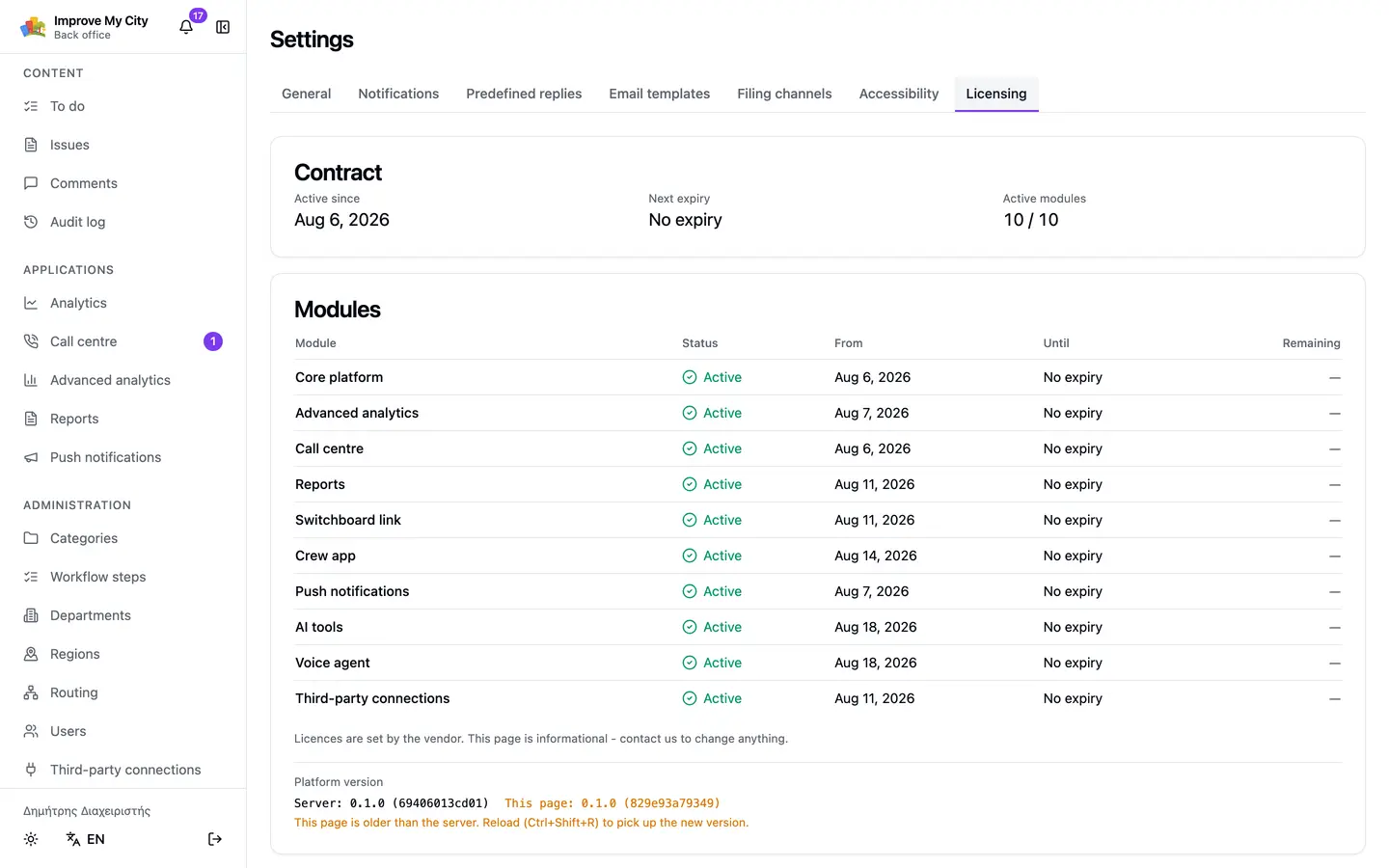
A screen listing the active modules, their dates and what each one contains. No surprises at renewal.
And the parts a demonstration leaves out...
Most of these are not on the first screen. They are what a municipality asks about in week three, once it is genuinely using the thing.
Who picks it up
Several departments on one report
A pothole beside a broken streetlight concerns two departments. Both see it, both are notified, and it stays visible which one was assigned explicitly and which one has it through the category. There are two ways to hand work over: the report is shared with another department, or passed to it, which takes it away from whoever held it. Every such move is written to the history with the user, the time and the reason, so «not our responsibility» stops being a phone call between offices.
Your own people file too
The neighbourhood warden walking their patch, the municipal police officer, the crew passing a site: they file as well, from their phones, into the same system. The municipality creates as many origins as it wants - «Neighbourhood warden», «Municipal police», whatever it has - each with its own name and icon, without waiting for a release. And because every report keeps where it came from, what the municipality found for itself is visibly separate from what residents reported.
Categories per department
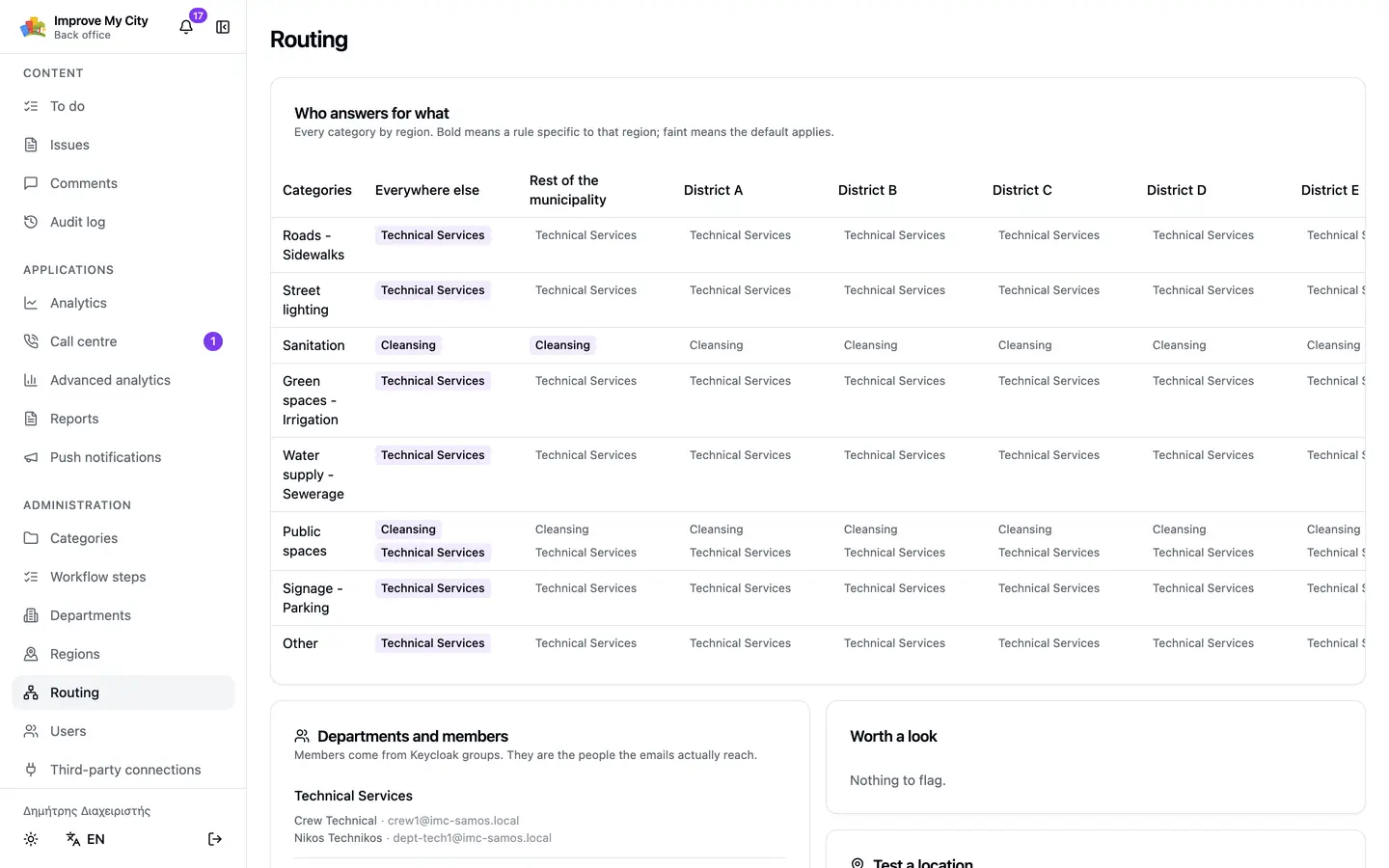
Each department declares which categories it handles, and the routing matrix shows all of them on one screen. If a category is left without a department, the platform notices by itself and tells you.
Chosen automatically by district
The point on the map falls inside a district boundary and routing follows: the same category can go to one department in District A and another in District B. The boundaries are yours, as GeoJSON.
It finds what is missing
The platform keeps checking itself - a category with no department, a department with no members, a workflow with no final step, reports outside every boundary - and puts what it finds on the «to do» screen with the link that fixes it. Before the resident who got no reply finds it for you.
Operators per department
An operator sees their own department's reports and no others. An administrator sees everything. The audit log is scoped the same way.
What the municipality says
The identity is the municipality's
The citizens' portal carries the municipality's name and logo, not ours. So do the emails residents receive. Both are set from Settings, with nobody on our side involved.
Email templates
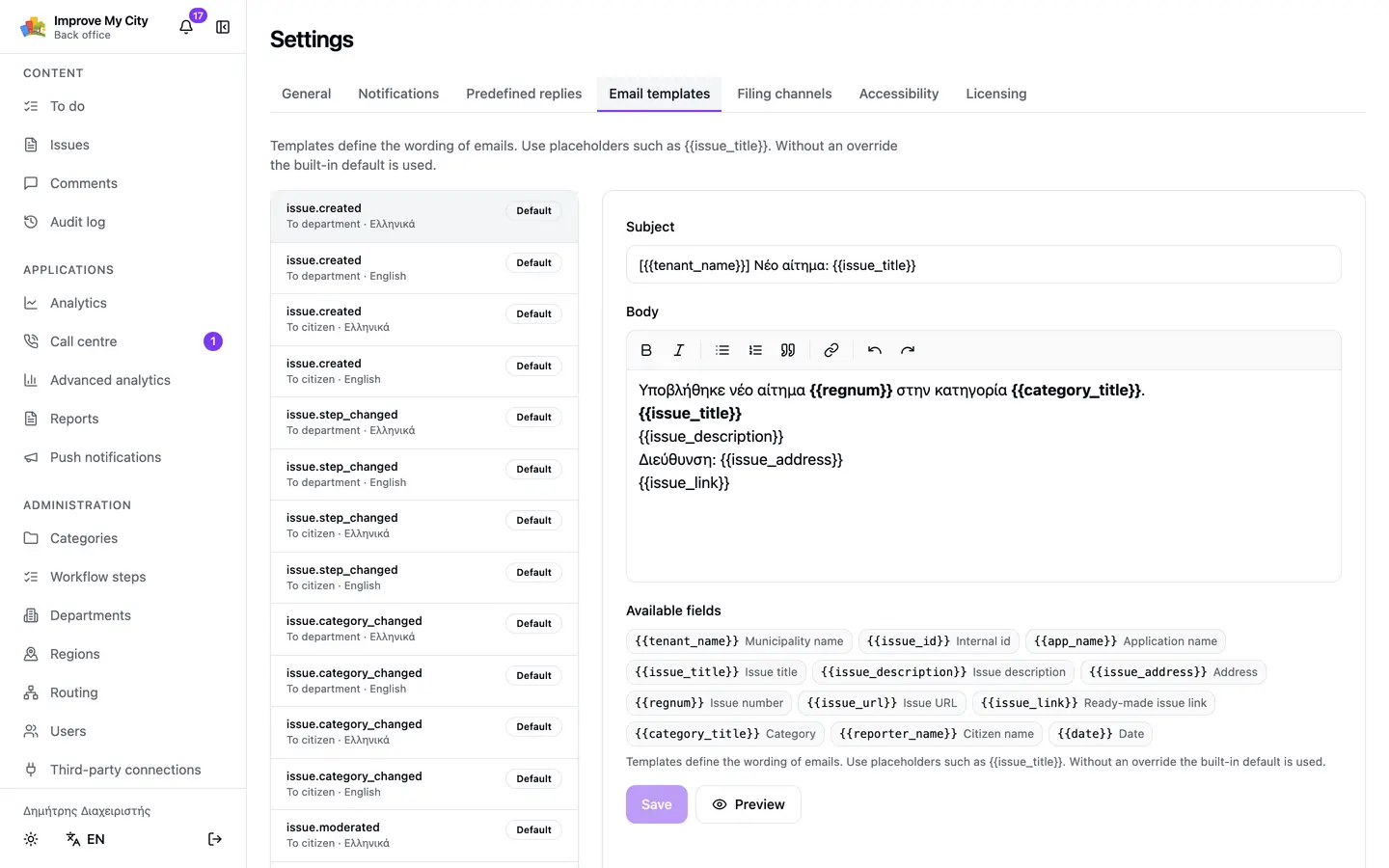
The wording of every notification, per event and per language, with a preview before it is saved. The municipality writes in its own voice rather than ours.
Predefined replies
The wording an operator types again and again - «a crew has been scheduled», «this is not the municipality's responsibility» - written once and then chosen from a list. It lands in the reason field and stays editable, so the resident never receives a form letter.
Who will be emailed
Before any action, the recipients are shown. No bulk send happens without the operator knowing how many people it reaches.
The resident decides
Each resident chooses which events they are emailed about. They can switch anything off, and switch on only what the municipality already sends.
What management and an auditor ask for
A searchable audit trail
Not only the history inside each report: one screen with every action by every user, filtered by person, action, department and period. «Who changed what in March» is answered in ten seconds, without anybody opening a database.
Reports for the council
Ready-made period reports carrying the municipality's logo, in a form that prints or attaches. Generated from the same data the department works in, rather than from a hand-copied spreadsheet.
CSV export
From the screen you filtered, with the filters you set, at no extra charge.
The measure the municipality does not write
How often a resident confirmed the problem was fixed and how often they disagreed, per category. It comes from outside the building rather than from the office's own record.
The daily work
Workflow steps you define
The steps, their colours and which one means finished are the municipality's to define. A new step is added from the back office, without a release. Changing one always requires a written reason, recorded with the user and the time.
Duplicates and merging
Identical reports are merged into one and everybody who filed them is told. Before submitting, a resident is shown reports that look like the same issue, so they can back an existing one instead of adding another.
Overdue reminders
Thresholds per priority, and an automatic reminder to the responsible department when a report sits without progress. Overdue work is counted separately on the «to do» screen, so it is not lost among the rest.
Bulk actions
Change step, priority or department across many reports in one action: after a storm, the forty fallen-branch reports move together. The reason is written once and every report still keeps its own entry in the history. Residents are emailed only if the operator asks for it, and the count is shown before anything goes out.
Painting out personal details
Residents photograph what is in front of them, often including a number plate or a passer-by's face. An operator drags a rectangle over it inside the application, with no Photoshop and nothing re-uploaded. The original is replaced for good, with no copy left behind.
Comment moderation
Comments publish immediately or after approval, per municipality or per category. Internal notes are written in the same thread and stay invisible to residents, so what one department tells another needs no second channel.
A manual that cannot go stale
A guide for operators and another for administrators, in Greek, English, Spanish and Portuguese. It opens from inside the back office, in the language the user works in. Its screenshots are generated from the application itself on every release, so they always show the screen in front of them.
Corrections by the resident
A resident can correct their report only while nobody has acted on it. The window closes on the first move by the department, the first comment, the first vote from another resident, or after thirty minutes.
The next module
In development
When the operators go home, the phone keeps answering
A resident who rings at eleven at night reaches an answering machine today, if they reach anything. The voice agent will pick up the line, take the report in ordinary conversation, and have it in the queue by morning as though an operator had typed it.
Requires the «Call centre», «Telephony integration» and «AI assistance» modules.
Answers out of hours
Nights, public holidays, and the peak hour when every line is busy. Nobody waits on hold in order to say nothing.
Files it, rather than recording it
Not a voicemail for somebody to listen to tomorrow. It settles on a category, a location and a description, and creates a real report with a reference number.
Hands over when it should
Anything it does not follow, or anything that sounds urgent, goes to the callback queue with the recording beside it.
What a tender asks for
These are not implementation details. They are the points where a public body carries an obligation, and where it usually discovers its software does not cover it.
Accessibility, checked every release
Colour contrast, keyboard navigation, accessible names, reflow at 320px and text spacing are checked automatically on every release against EN 301 549 (WCAG 2.1 AA). The rule is not only about the citizen portal: the back office and the modules are held to the same measure, because the employee who uses them all day is not a smaller obligation than the resident. Automated checking finds some of the problems, and we say so.
An accessibility statement that gets published
Directive (EU) 2016/2102 requires every public body to publish one. The platform writes it: the software declares what is not accessible, the municipality adds its own contact and authority, and the page is published on the citizen portal. All of it from one screen in the back office, in minutes, with no involvement from us.
GDPR, in practice
Access to the data (Article 15), portability as a single downloadable file (Article 20), and account deletion (Article 17) that anonymises the person without erasing the city's history. All three happen automatically, by the resident from their own account: no request to the municipality, no case number, no deadline running, and no member of staff involved.
Languages, not an afterthought
Greek, English, Spanish and Portuguese today, with more on the way - and we add whichever else you need, not only in the citizen portal but in the back office and the modules as well. Each municipality declares its own languages, content is authored per language, and email arrives in the language the recipient chose.
Identity, with no passwords in our hands
Sign-in goes through Keycloak: no application in the platform ever sees a password. What each municipality needs is switched on there - two-factor sign-in for staff or for anybody who wants it, a link to the municipality's Active Directory or LDAP so employees use the account they already have, and citizen identification through an external provider (OIDC or SAML). These are installation settings rather than development work.
Multi-tenant architecture
Every municipality is a tenant of its own. Its data is separated at the database level, and the separation is enforced inside the database itself (row-level security) rather than only by application code. That is why a regional authority can cover ten municipalities with one contract and one upgrade, without any of them seeing the next one's reports.
Auditable
Every change of status, category or department is recorded with the user, the time and a written reason. The history is not editable, so what happened is a matter of record rather than of recollection.
Your data, exportable
CSV export from the same screen you filtered, at no extra charge. Possessing your own data is not a paid feature.
Three ways to have it
Most municipalities want to know where their data is, not to keep servers running. Choose by what binds you, with the cost rising from the first way to the third.
We run it
Software as a service
A subscription per municipality. No infrastructure, and nobody of yours minding it. It runs on our infrastructure, in an EU data centre we choose, on our upgrade schedule. The data stays the municipality's: you are the controller and we process it on your behalf.
An EU data centre, with written confirmation of GDPR compliance
Live within days, with nothing for you to set up
Backups and monitoring are ours
New releases come with the subscription, not as a separate contract
A full export of your data whenever you ask for it, including on the way out
We run it, for you alone
Dedicated hosting
The same service on a server reserved for your municipality alone, in a data centre you pick from those available and named in the contract. Nothing else runs on it. For municipalities bound by where their data has to sit.
A server for your installation alone
We keep the server's administration, so you need no administrator of your own
The data centre and country of your choosing, from those available, named in the contract
A data processing agreement in your name
Restores and upgrades in a window agreed with you
Backups and monitoring from us
You run it
On your own servers
Signed container images holding the built software rather than its source, for your own infrastructure, under an annual licence in the municipality's name. For municipalities that are not permitted to do anything else. It is the most expensive of the three and is arranged case by case, because supporting an installation we cannot see is a different kind of work.
Full isolation
The servers, the database and the backups are yours
Upgrading is your responsibility, with our support
Licensed to one named body: no copying, transfer or hosting for third parties
The source is lodged with an independent escrow agent: if we stop trading, or stop supporting the software, it is released to you
The same software all three ways
The same build all three ways. There is no lagging «customer edition» behind the one we run ourselves, and no fix that reaches self-hosted municipalities months late.
Built on open technology
Improve My City is built on open-source technology, so there is no second licence to buy before it runs. The data sits in PostgreSQL with PostGIS, a database any competent team can take over. Identity is Keycloak, and the map tiles can be hosted on the municipality's own infrastructure.
Your data is only yours
All three ways, each municipality's records are separate and no other municipality can see them. You can export the lot whenever you want, and restoring one municipality touches nobody else. On your own servers, the database and the backups are physically yours.
For regional authorities
One contract and one upgrade instead of ten, with each municipality's records still separate. Where the region also wants a consolidated view, it is arranged case by case, and it means figures rather than access to the municipalities' reports.
Photographs in Simple Storage Service (S3)
Images never fill a server disk: they go to S3-compatible storage, ours or yours. The server can be rebuilt without losing a photograph, and the space never runs out.
Light and dark
In every application, starting from the operating system's own preference and switchable by the person using it. For a shift working evenings in a control room it is not decoration.
An open interface
A documented OpenAPI interface for everything the application does. Whatever the back office can do, your own system can do too, under its own credentials and its own audit trail.
For municipalities already running ImproveMyCity (IMC)
Moving across costs you nothing
If your municipality runs the older Improve My City, we do the migration and we do not charge for it. It is not an introductory offer: upgrading our own software should not land on your budget.
Everything comes with you
Reports, photographs, categories, workflow states, votes, comments and the audit history, with their original dates. The accounts come too: residents, operators and administrators, each still attached to the reports they filed or handled. Every report keeps its reference number.
No link breaks
Old links to reports still open. An email sent to a resident in 2019 goes where it always went.
A rehearsal first
We stand up a copy with your own data and your departments try it. The switch-over date is set once you are satisfied, not before.
The mobile apps carry on
Your existing iOS and Android apps are updated and pointed at the new system. Residents do not have to download anything again, because the update arrives on its own.
The old installation stays available, read-only, for as long as you want it. Nothing is deleted on the day you move.
For partners
Representing it in another country
Improve My City reaches municipalities either through us or through partners who represent it in their own country. If you already sell software to public bodies, talk to us.
Exclusivity by territory
Agreed in writing, for a year at a time, against stated targets. We do not hand the same market to two partners.
Training and support from us
We train your team on the product and on deployment. You keep the relationship with the municipality; we answer what first line cannot.
Under your name or ours
The product can carry your brand by agreement, or stay Improve My City with you as its named representative.